顶刊中的全球地图投影(五)-Orthographic投影Python实现
前言
上一篇文章介绍了Spilhaus地图投影的补充,这篇将会进一步对Orthographic投影进行补充,帮助大家能够绘制出预期中的地图投影效果。
完整代码及数据均开源,获取方式见文末。
Orthographic投影
Orthographic投影是什么
正射投影(Orthographic projection)是一种方位透视投影(azimuthal perspective projection),其投影中心位于地球无限远处,导致所有投影射线相互平行,等效于平行光源从无穷远照射地球表面至切平面(通常为与球体相切的平面)。在现代,正射投影主要用于模拟卫星或太空视角的真实视觉效果、极地/区域专题展示。
参考:https://en.wikipedia.org/wiki/Orthographic_map_projection
以下图片来源:https://doi.org/10.1038/s41561-025-01894-y

不同的Orthographic投影
实现也比较简单,就是通过内置的 中心经度,中心纬度,方位角 三个参数调节。通过以下代码即可看到不同参数下的正射投影地图,适合极地或洲际或国家尺度研究。
orthographic.py
"""-------------------------------------------------------------------------------@Author : zbhgis@Github : https://github.com/zbhgis@Description : different views of orthographic projection-------------------------------------------------------------------------------"""import matplotlib.pyplot as pltimport cartopy.crs as ccrsimport cartopy.feature as cfeature# 设置投影名称与对应的投影projections = [ ("orthographic (0, 0, 0)", ccrs.Orthographic()), ("orthographic (100, 40, 0)", ccrs.Orthographic(100, 40, 0)), ("orthographic (-100, 40, 0)", ccrs.Orthographic(-100, 40, 0)), ("orthographic (100, 40, 45)", ccrs.Orthographic(100, 40, 45)), ("orthographic (100, 40, 90)", ccrs.Orthographic(100, 40, 90)), ("orthographic (0, 90, 0)", ccrs.Orthographic(0, 90, 0)), ("orthographic (0, 90, 180)", ccrs.Orthographic(0, 90, 180)),]# 每个投影一张图片for proj_name, proj in projections: fig = plt.figure(figsize=(10, 10)) ax = fig.add_subplot(1, 1, 1, projection=proj) ax.add_feature(cfeature.OCEAN, facecolor="#1f77b4", zorder=0) ax.add_feature(cfeature.LAND, facecolor="none", edgecolor="none", zorder=1) ax.coastlines(resolution="50m", color="black") ax.gridlines(draw_labels=True, linestyle="--") ax.set_title(proj_name, fontsize=16, pad=10) print(proj_name) plt.savefig( f"./fig_res/{proj_name}.png", dpi=100, bbox_inches="tight", ) plt.close(fig)打印结果
orthographic (0, 0, 0)orthographic (100, 40, 0)orthographic (-100, 40, 0)orthographic (100, 40, 45)orthographic (100, 40, 90)orthographic (0, 90, 0)orthographic (0, 90, 90)orthographic (0, 90, 180)绘制结果
Orthographic()

Orthographic(100, 40, 0)

Orthographic(-100, 40, 0)

Orthographic(100, 40, 45)

Orthographic(100, 40, 90)

Orthographic(0, 90, 0)

Orthographic(0, 90, 180)

Orthographic投影范围设置
在绘制北半球地图时,热带区域并不是研究重点,需要突出极地或温带部分,因此绘制时会截取出某个纬度以北或以南的部分。
代码中以北极地区为例,设置了20°,40°,60°的范围。核心部分就是set_extent()至set_boundary()之间的代码。通过绘制一个圆形将所需的部分裁出即可。
orthographic2.py
"""-------------------------------------------------------------------------------@Author : zbhgis@Github : https://github.com/zbhgis@Description : different extents of orthographic projection-------------------------------------------------------------------------------"""import matplotlib.pyplot as pltimport cartopy.crs as ccrsimport cartopy.feature as cfeatureimport numpy as npimport matplotlib.path as mpathimport matplotlib.ticker as mtickerextents = [60, 40, 20]# 每个投影一张图片for extent in extents: proj_name, proj = ("orthographic (0, 90, 0)", ccrs.Orthographic(0, 90, 0)) fig = plt.figure(figsize=(10, 10)) ax = fig.add_subplot(1, 1, 1, projection=proj) ax.set_extent([-180, 180, extent, 90], crs=ccrs.PlateCarree()) theta = np.linspace(0, 2 * np.pi, 100) center = (0.5, 0.5) radius = 0.5 vertices = np.column_stack( [center[0] + radius * np.cos(theta), center[1] + radius * np.sin(theta)] ) circle_path = mpath.Path(vertices) ax.set_boundary(circle_path, transform=ax.transAxes) ax.add_feature(cfeature.OCEAN, facecolor="#1f77b4", zorder=0) ax.add_feature(cfeature.LAND, facecolor="none", edgecolor="none", zorder=1) ax.coastlines(resolution="50m", color="black") gl = ax.gridlines( draw_labels=True, linestyle="--", alpha=0.5, linewidth=0.8, ) gl.xlocator = mticker.MultipleLocator(20) gl.ylocator = mticker.MultipleLocator(20) ax.set_title(proj_name, fontsize=16, pad=10) print(proj_name) plt.savefig( f"./fig_res/{proj_name}_{extent}.png", dpi=100, bbox_inches="tight", ) plt.close(fig)打印结果
orthographic (0, 90, 0)orthographic (0, 90, 0)orthographic (0, 90, 0)绘制结果


写在最后
写在最后
完整代码及相关数据文件会在以下github仓库中开源,若有帮助欢迎点个star,不胜感激。
https://github.com/zbhgis/Projects
或者在微信公众号后台回复关键词“代码获取”即可获取百度网盘链接,找到对应名称的文件夹即可(百度网盘链接可能隔几天才会同步)。
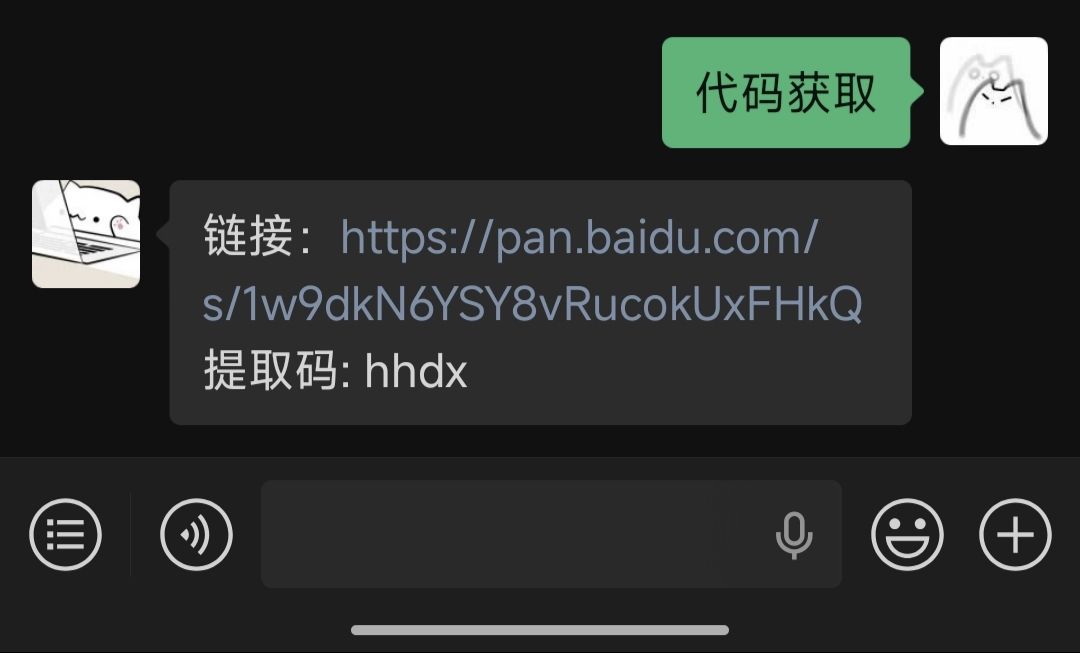
代码中使用了很多相对路径,建议获取的时候下载完整文件夹。
如有问题,欢迎添加个人微信交流。